Razer Synapse Mac needs macOS 15
Synapse for Mac is a Preview for Apple Silicon Macs on macOS 15 or later. RGB Studio runs on Intel and macOS 13 and 14.
Looking for Razer Synapse Mac support? Control your Razer keyboard, mouse and headset lighting from an app built for macOS. No account needed.
Buying a Windows PC to change a keyboard color makes no sense.
Synapse for Mac is a Preview for Apple Silicon Macs on macOS 15 or later. RGB Studio runs on Intel and macOS 13 and 14.
Cross-platform open source tools exist, but they weren't made only for the Mac.
A native app that spots your Razer when you plug it in. Pick colors, effects and profiles in seconds.
“I built it because I had a Mac, a Razer keyboard and mouse, and no app that worked for me.” Ignacio Gómez, creator of RGB Studio
Built like a real Mac app.
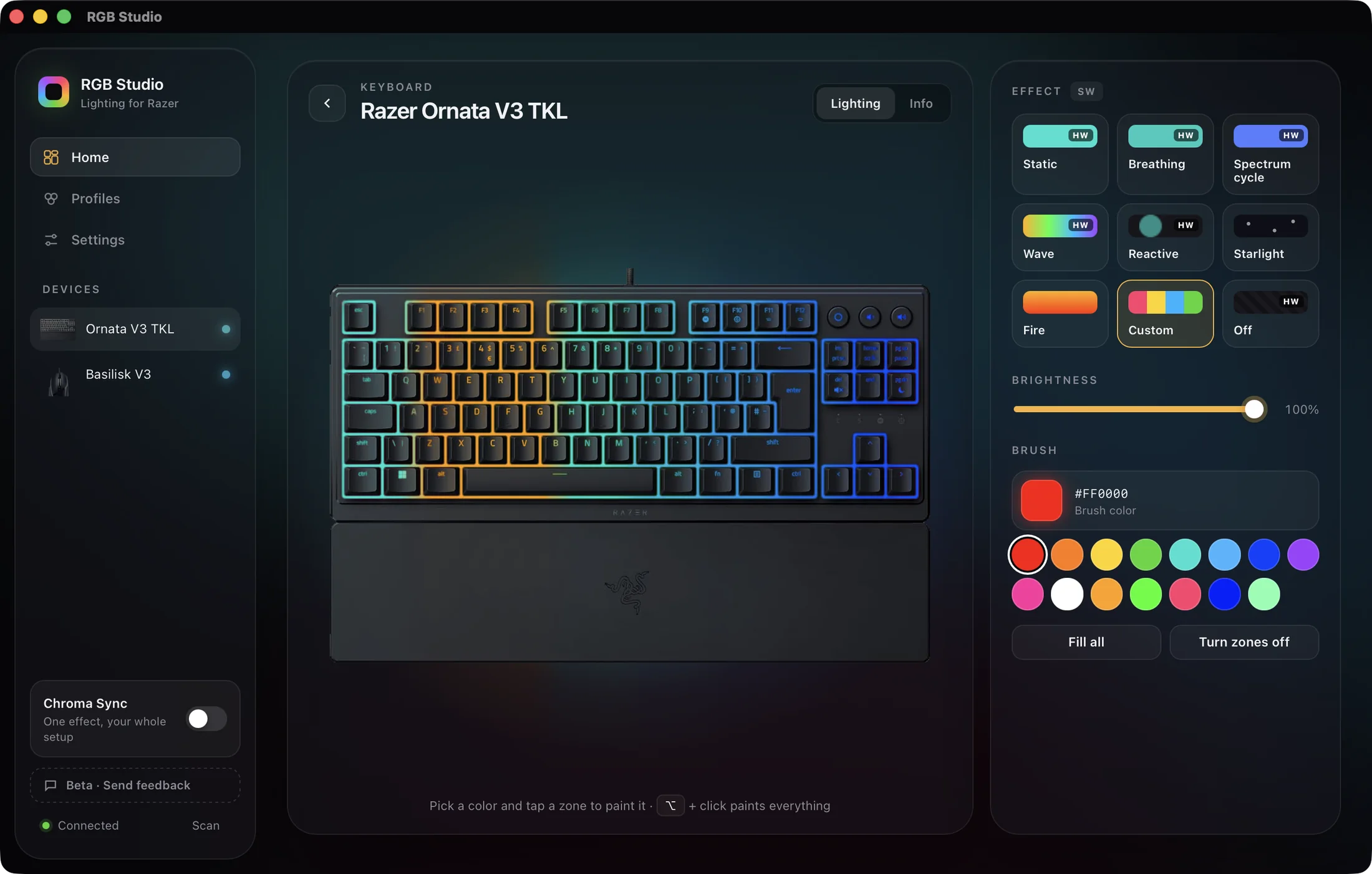
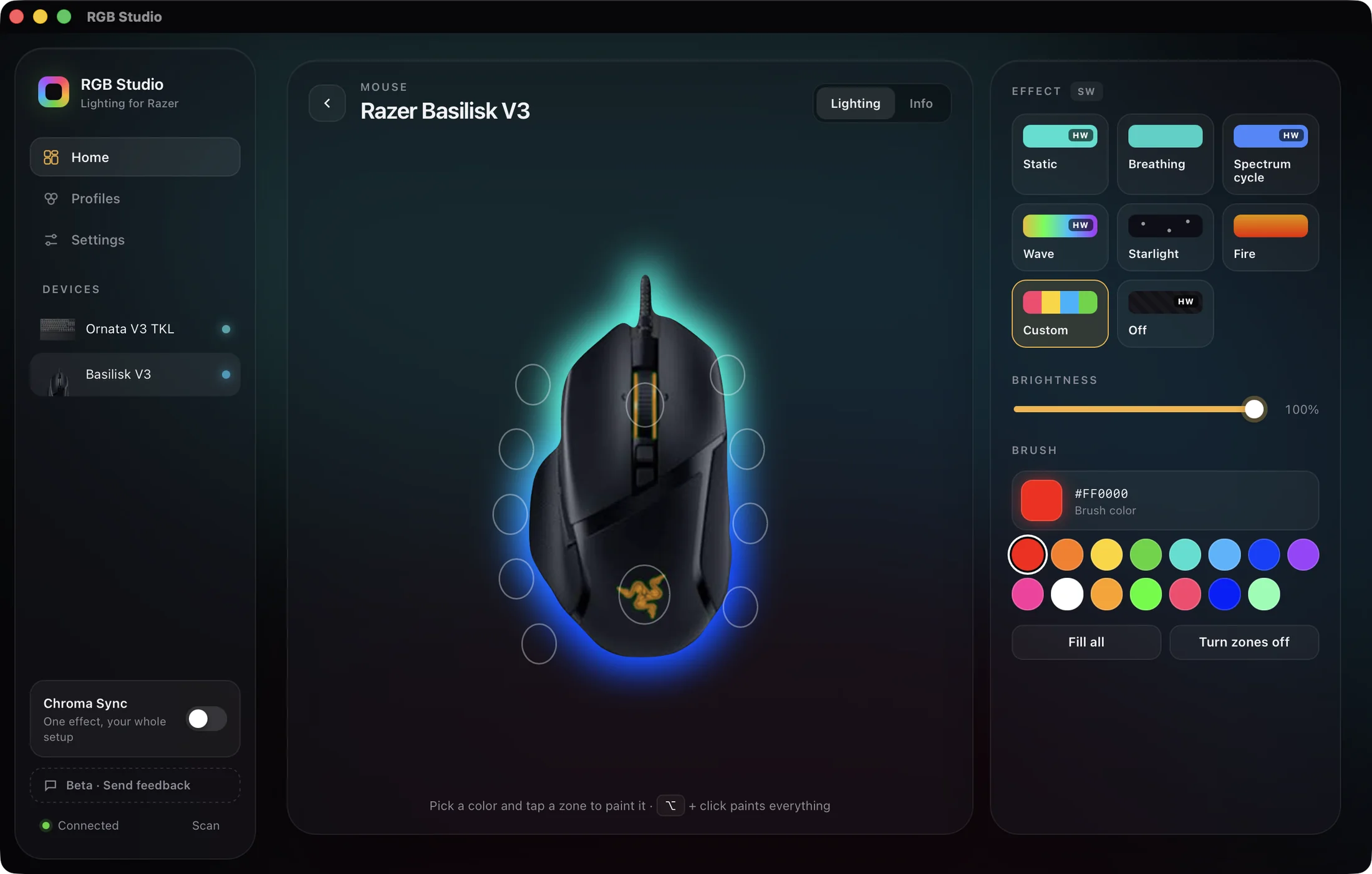
See your devices with their current lighting. Change a color and watch it update live.
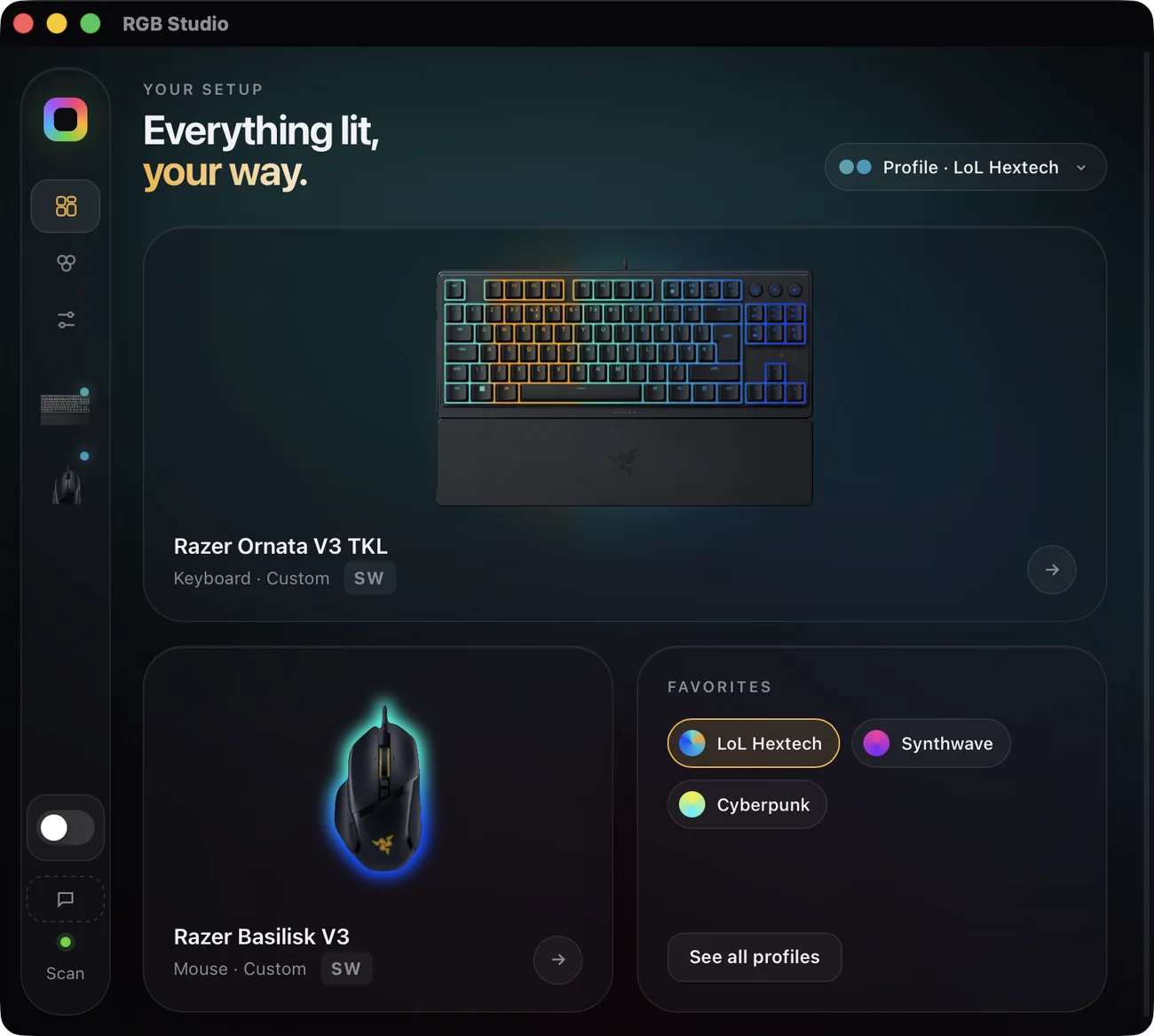
Save combos for your whole setup and switch instantly.
Drag color stops, paint zone by zone, or mix both.
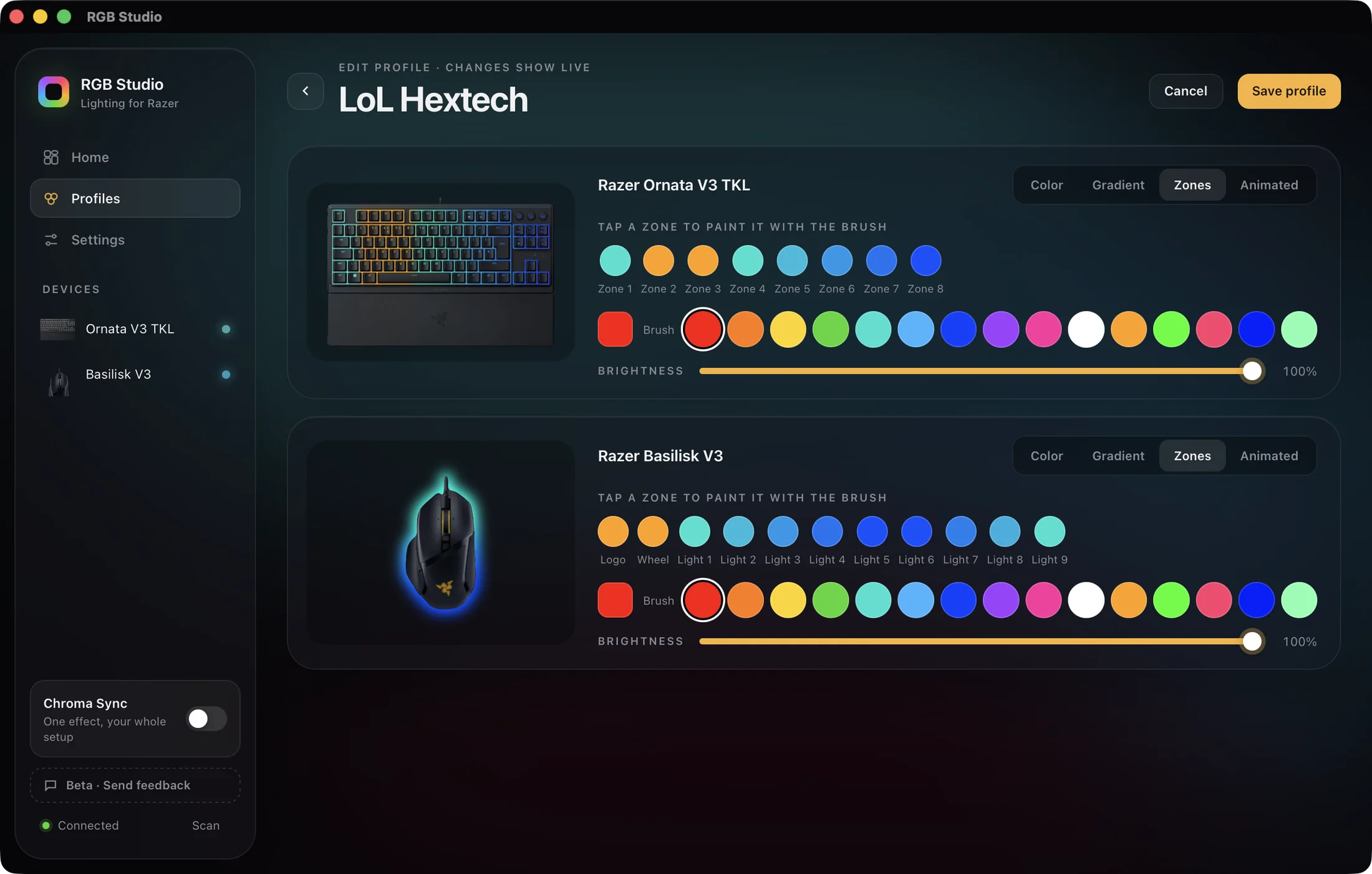
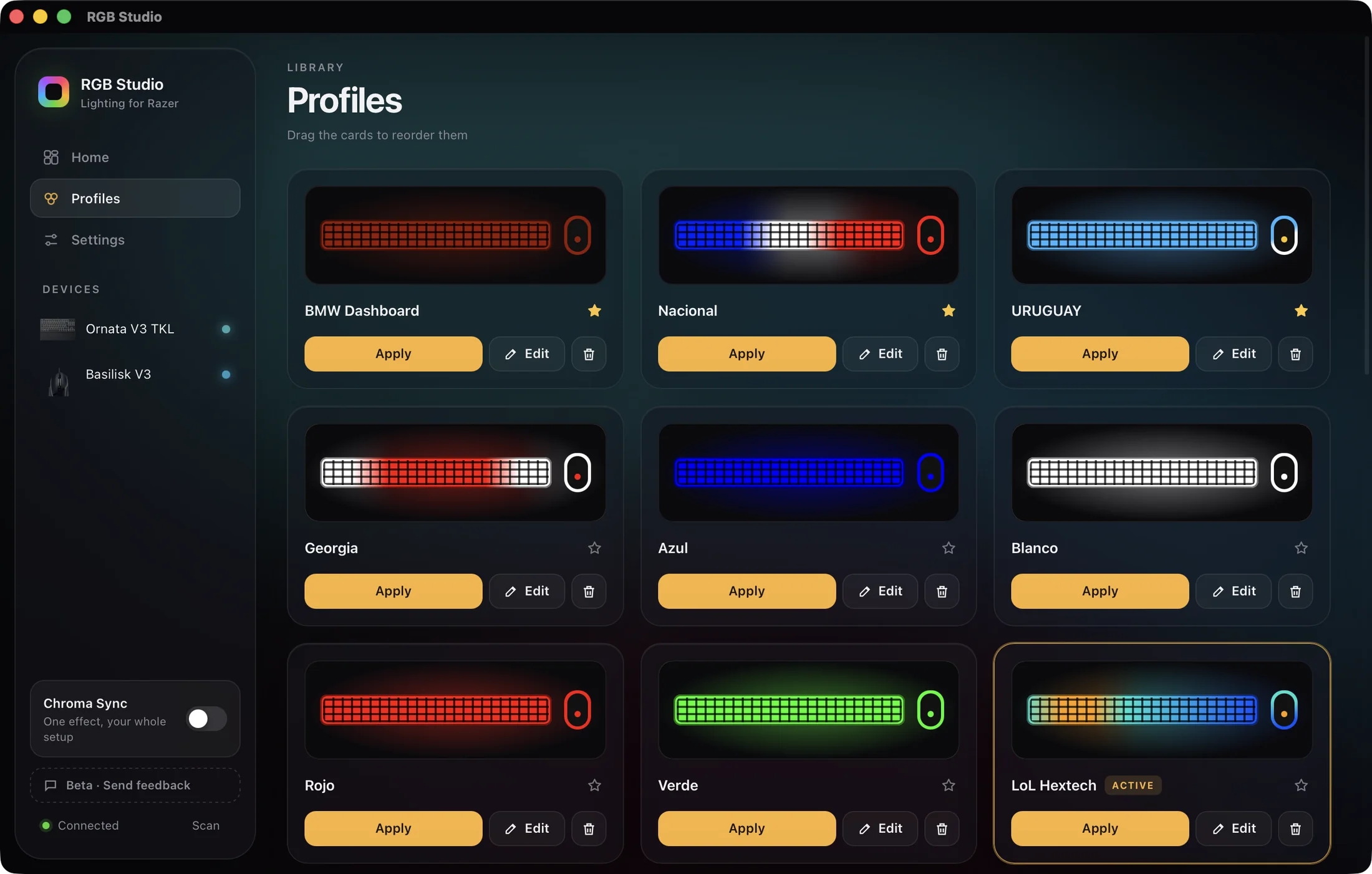
Drag to reorder, edit anytime, and apply any profile with a click.
One effect across all your devices.
Applies your profile at login.
Follows your Mac's language.
HW: the effect runs on your device. Availability depends on the model.
Keyboards, mice, headsets, mouse pads and more.
How RGB Studio compares on macOS.
| RGB Studio | Synapse for Mac (Preview) | OpenRGB | |
|---|---|---|---|
| Apple Silicon Macs | |||
| Intel Macs | Apple Silicon only | ||
| macOS 13 Ventura and 14 Sonoma | needs macOS 15+ | ||
| Built for Mac only | cross-platform | ||
| Price | US$8.79one-time | Freeopen source |
Data from each official website: Razer and OpenRGB. A dash means not stated. Razer and Synapse are trademarks of Razer Inc.
Full comparisons: RGB Studio vs Synapse for Mac · RGB Studio vs OpenRGB
Costs less than a mouse pad. No subscriptions, no accounts.
Tell us what's broken or which model to add.
No Synapse, OpenRGB, drivers or account needed: RGB Studio talks directly to your Razer devices. If another lighting app is open, quit it first so they don't clash.
Yes. It's a universal app: one download runs on Apple Silicon and Intel Macs, on macOS 13 Ventura or later.
Search the compatibility list: 120 models. If yours isn't there, request it.
Yes. You pay US$ 8.79 once, with no subscription, including every update during the beta.
The beta isn't notarized by Apple yet. Open System Settings → Privacy & Security and click “Open Anyway”, once. Some Kraken headsets may also ask for the Input Monitoring permission; the app takes you to the right place.
Hardware effects run on the device. Profiles stay on with “Start with macOS”.
Yes. RGB Studio runs on macOS 13 Ventura and 14 Sonoma, and on later versions.
Yes. macOS 13 Ventura is the minimum version, on Intel and Apple Silicon.
Only for lighting. RGB Studio has no DPI, macros or buttons, and no Bluetooth lighting. Wireless models work through their USB receiver. Want more? Tell us.
No. RGB Studio is independent and not affiliated with or endorsed by Razer Inc.